Serial Terminal

Best Serial Terminal macOS App for IoT & Embedded Engineers

Serial Terminal for Mac helps you connect USB-to-Serial/UART devices, monitor TX/RX data reliably, and troubleshoot protocol issues faster.

macOS 14.6+  |  Apple Silicon Native
Serial Terminal main interface Serial Terminal terminal mode interface

Features

Everything you need in one Serial Terminal for Mac app for serial port debugging.

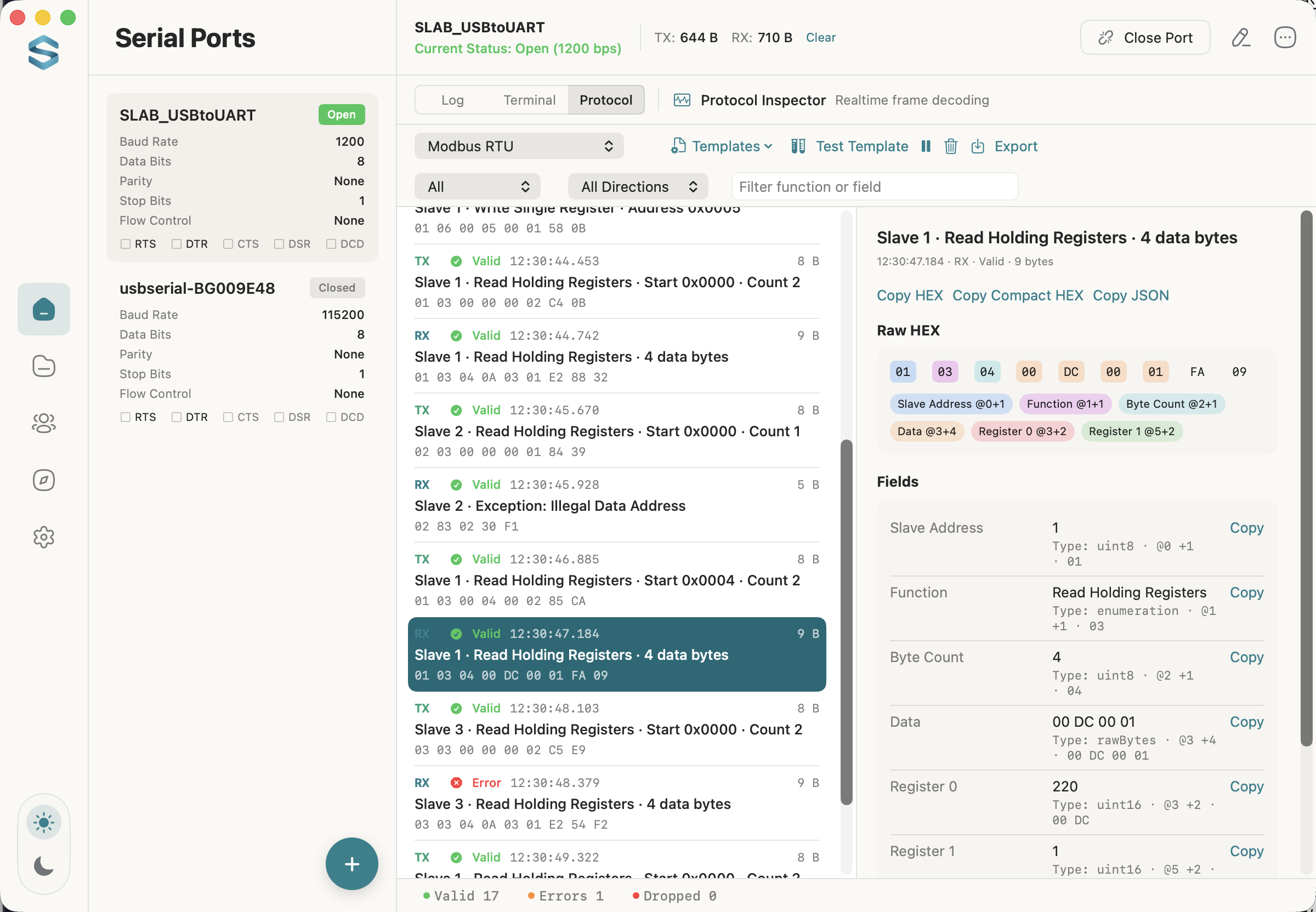
Protocol Inspector New in 1.4

Split the live stream into frames, decode named fields, and verify the checksum. Modbus RTU is built in.

Quick Setup

Configure port, baud rate, data bits, parity, and stop bits with one click.

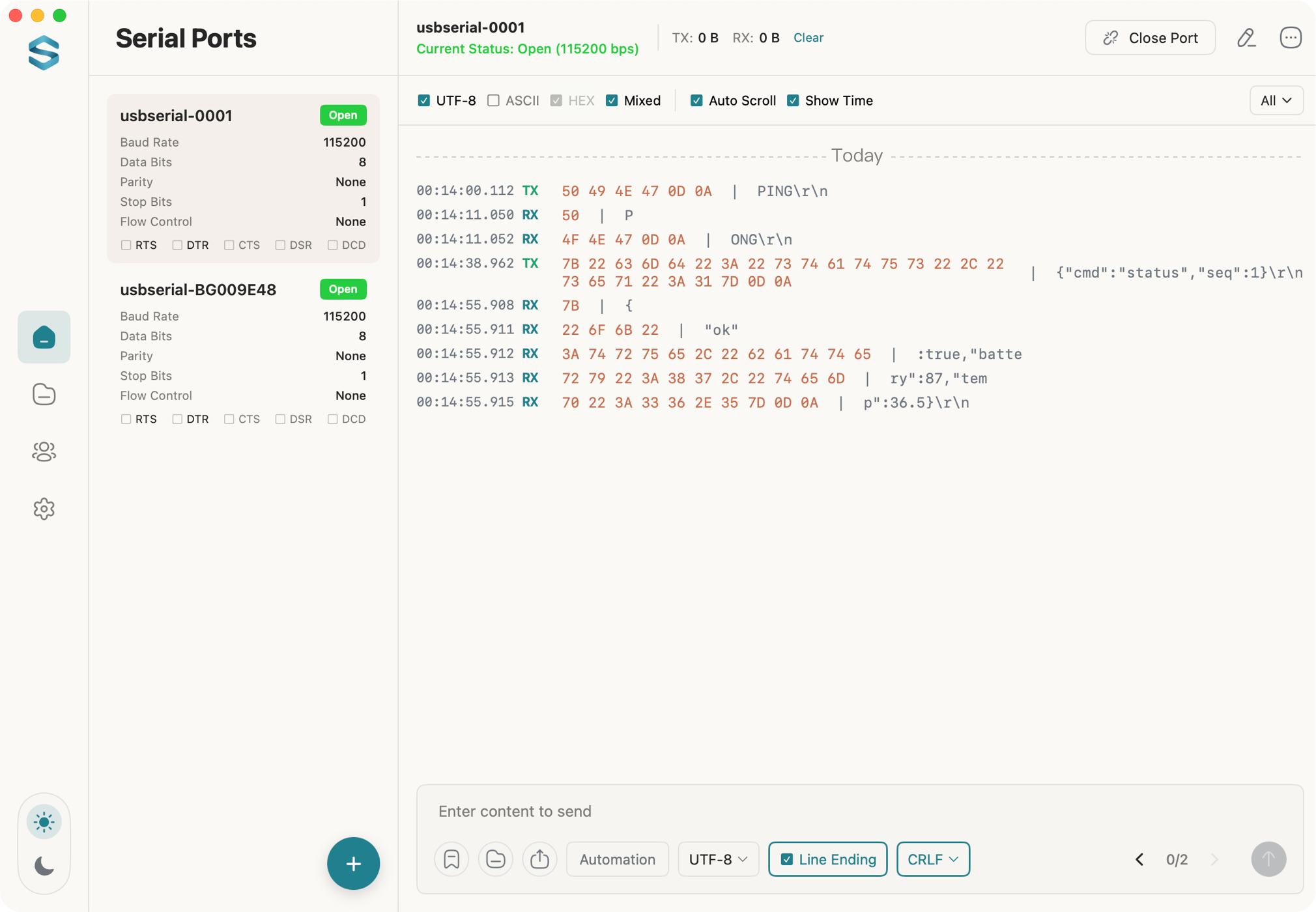
Dual View Debugging

Text/HEX dual view with encoding support and line endings (LF/CRLF).

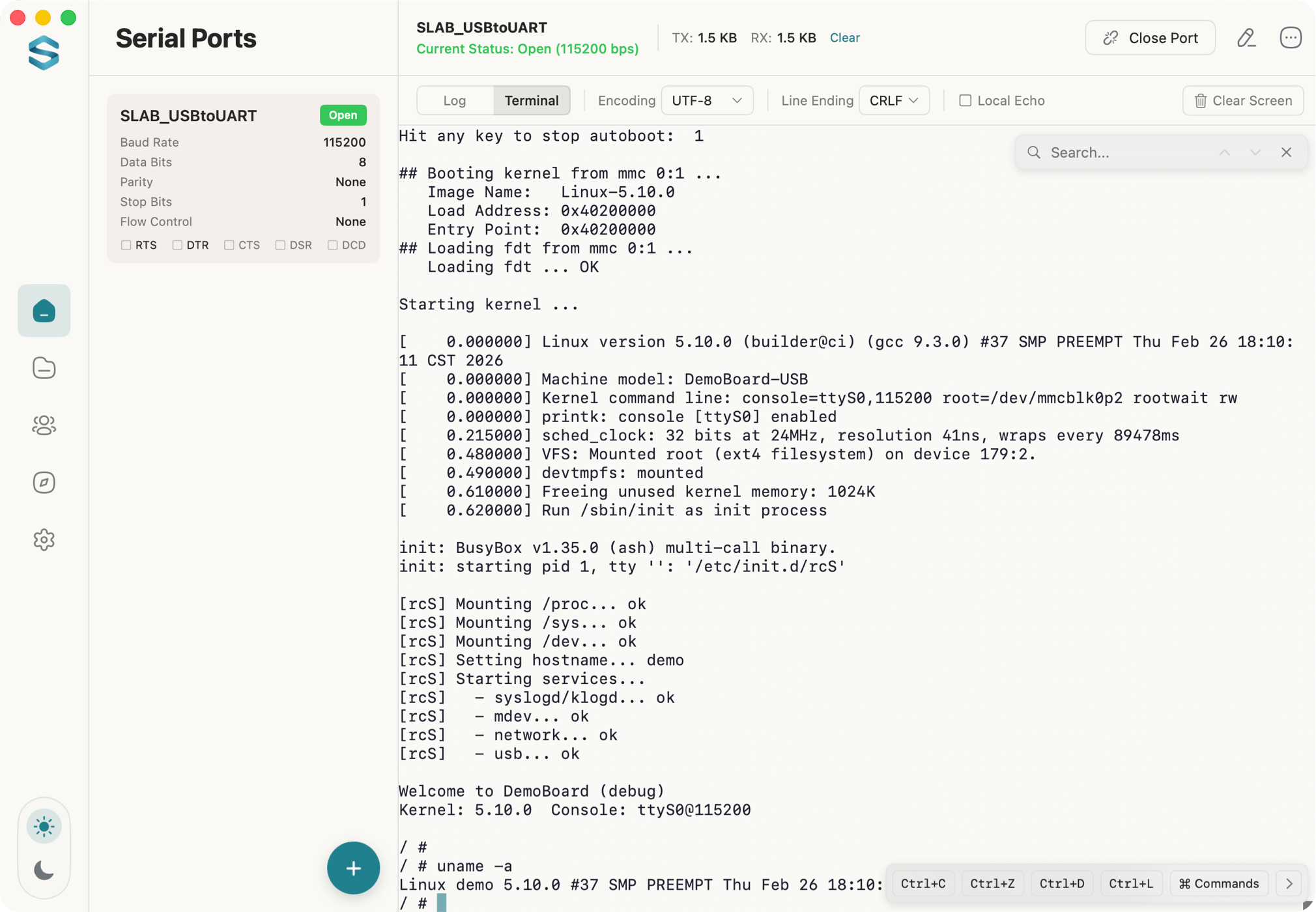
Terminal Mode

VT100/Xterm terminal emulation with shell access, local echo, and quick command shortcuts.

Efficiency Tools

Timestamps, auto-scroll, search and filter, right-click copy, and a Text View for selecting across lines.

MCP Service

Built-in MCP server with SSE protocol support for AI integration.

Data Export

Save logs locally, and export filtered protocol frames as CSV or JSON.

Send Tools

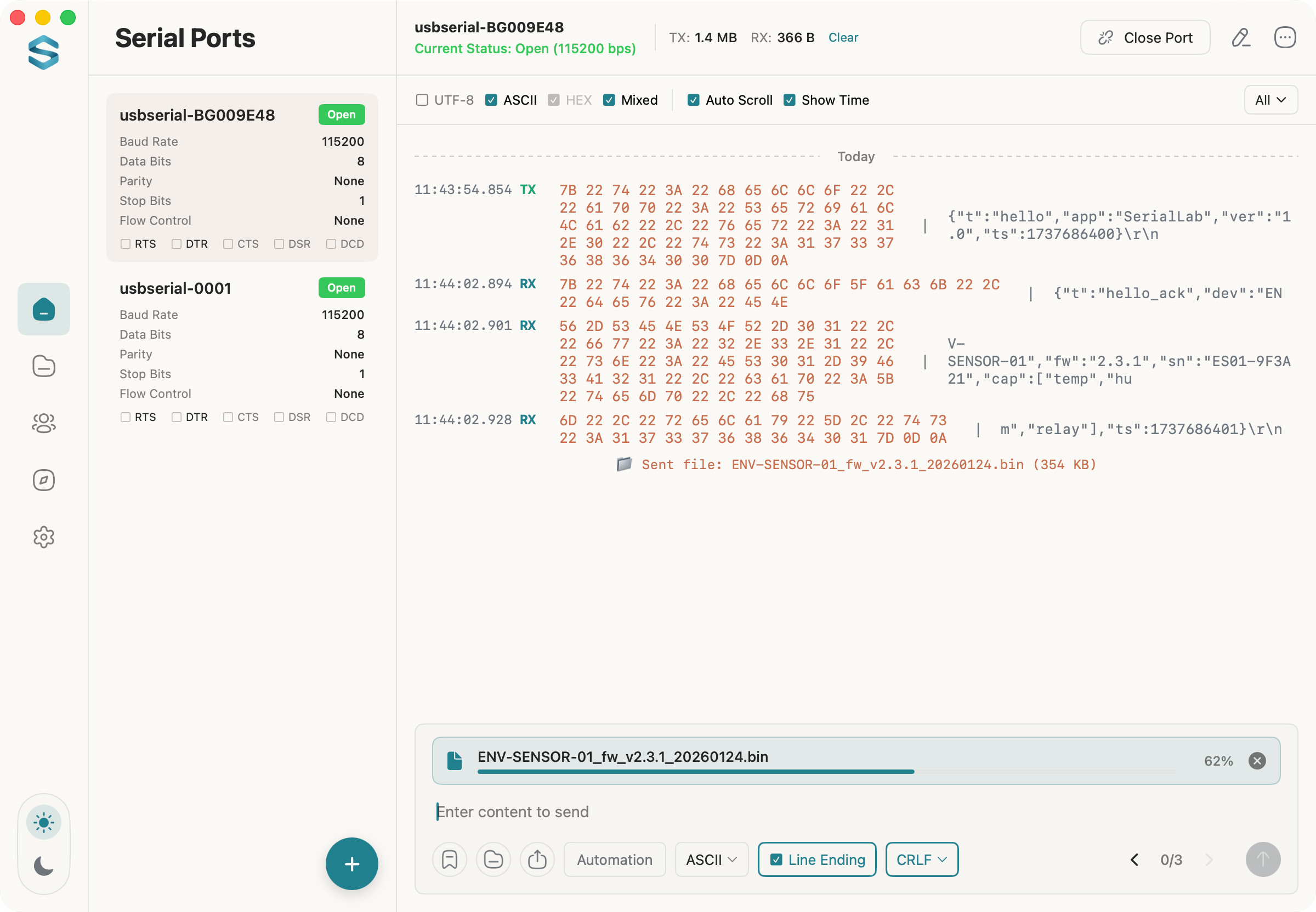
Quick send, timed/loop send, and file transfer with progress tracking.

Wide Compatibility

Supports all USB serial ports and RS232/RS485 adapters.
Protocol Inspector · New in 1.4

From raw bytes to readable frames

Protocol Inspector splits the TX/RX stream into frames, names every field, and checks the checksum — while the port stays open.

01

Slave Address

1

03

Function

Read Holding Registers

04

Byte Count

4

0A03

Register 0

2563 → 25.63 °C

01E2

Register 1

482 → 48.2 %RH

8832

CRC-16/Modbus

Valid

One Modbus RTU response, decoded byte by byte. The sensor reports 25.63 °C and 48.2 %RH.
Protocol Inspector decoding live Modbus RTU frames

Five framing modes

Fixed length, delimiter, header plus fixed length, header plus length field, or idle gap. Pick the one your device speaks.

Fields you define

Integers, floats, text, raw bytes, enums, and bit fields — with byte order, scaling, and units.

Checksums that verify

Sum, XOR, CRC-8, CRC-16/Modbus, and CRC-32. Bad frames are flagged, never hidden.

Built-in Modbus RTU

Requests, responses, exception codes, and CRC are decoded with no setup at all.

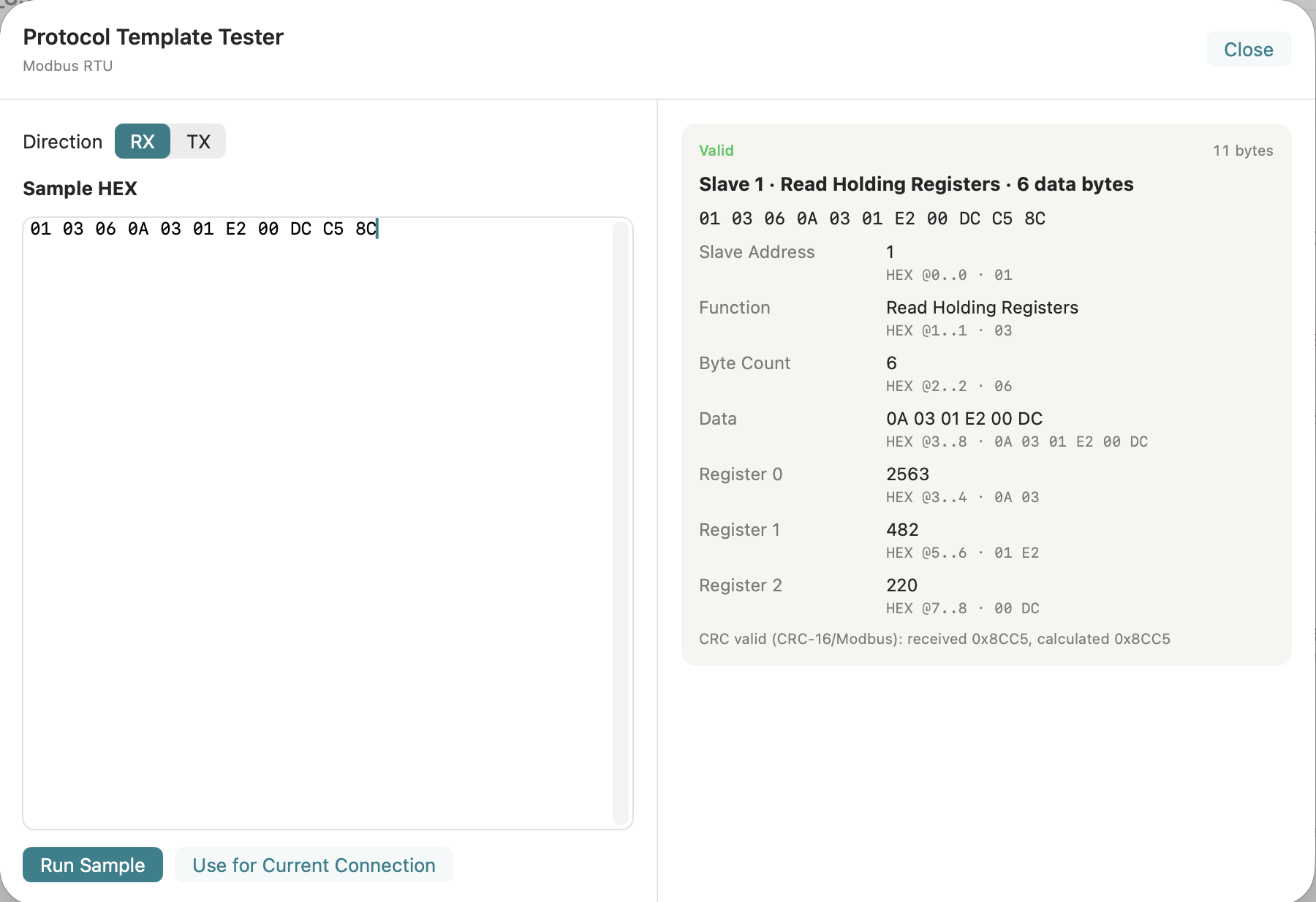
Test a template before you touch hardware

Paste a HEX sample into the template tester and watch the fields resolve. Import and export templates as JSON, then export filtered frames as CSV or JSON.

Preview 100 framed live records for free. One purchase unlocks it permanently, and Restore Purchase is built in. Protocol and serial data never leave your Mac.

Protocol template tester validating a pasted HEX sample

How it works

Four steps from a cold port to structured data.

  1. Connect

    Pick the port, set baud rate, data bits, parity, and stop bits, then open it. Several ports can stay open at once.

  2. Send and receive

    Read Text and HEX side by side, save commands as templates, or drop into a VT100 shell.

  3. Decode

    Switch to Protocol, choose a template, and read the fields. Filter by direction, function, or checksum result.

  4. Export

    Save filtered frames as CSV or JSON, or let an AI agent read the port through the built-in MCP server.

See It in Action

Watch how Serial Terminal streamlines your debugging workflow.

Video poster

App Interface

Clean, intuitive design built for productivity.

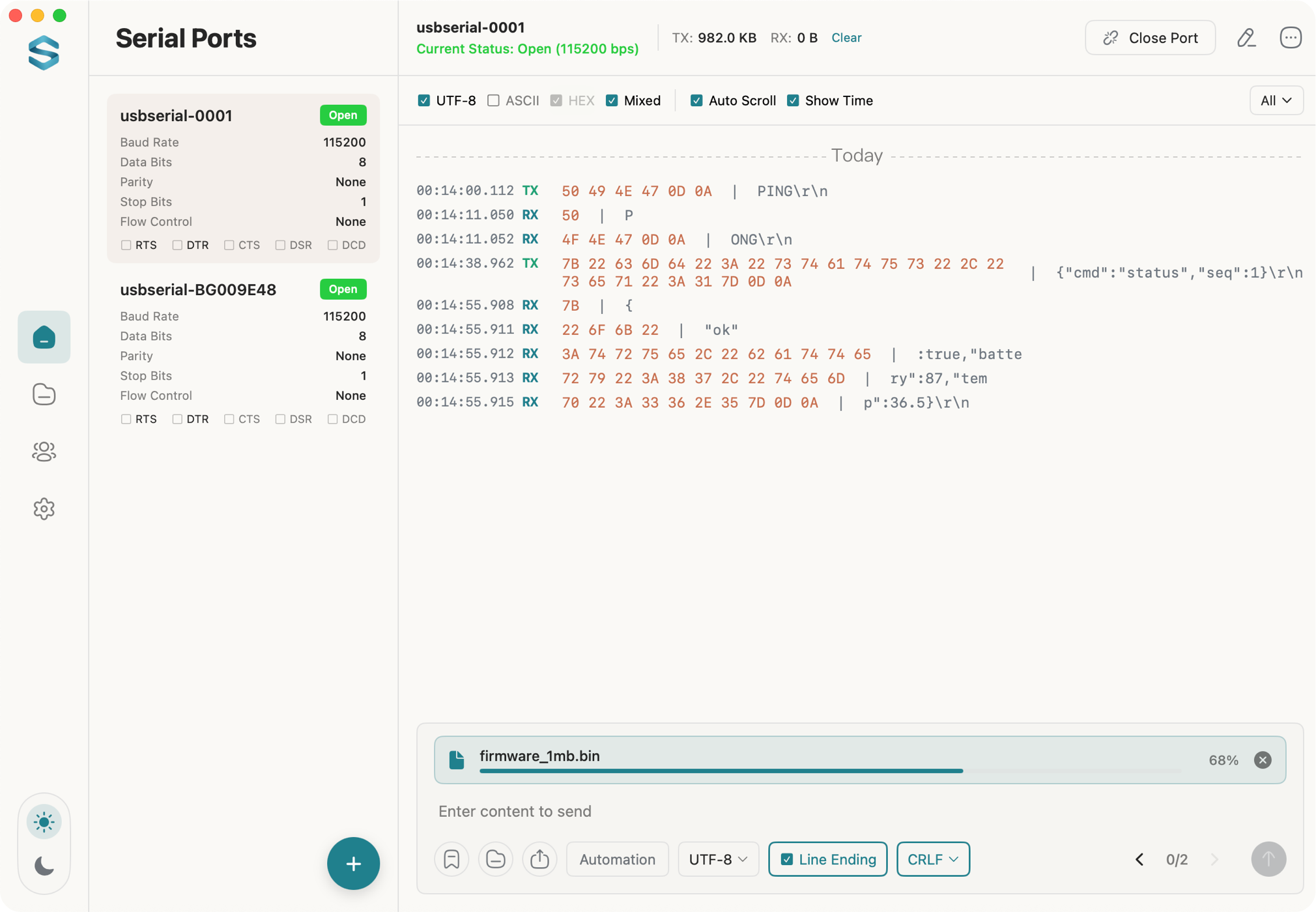
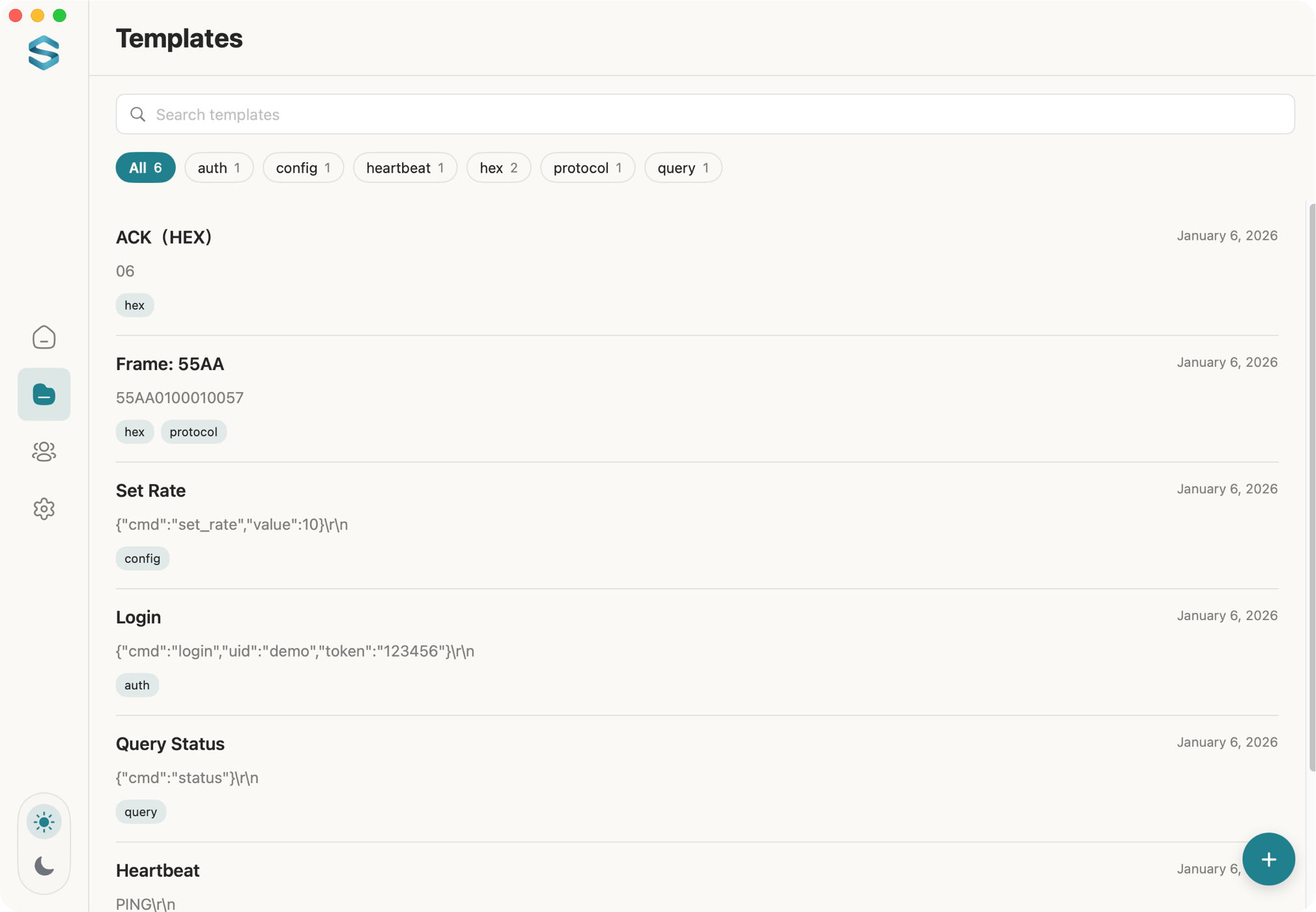
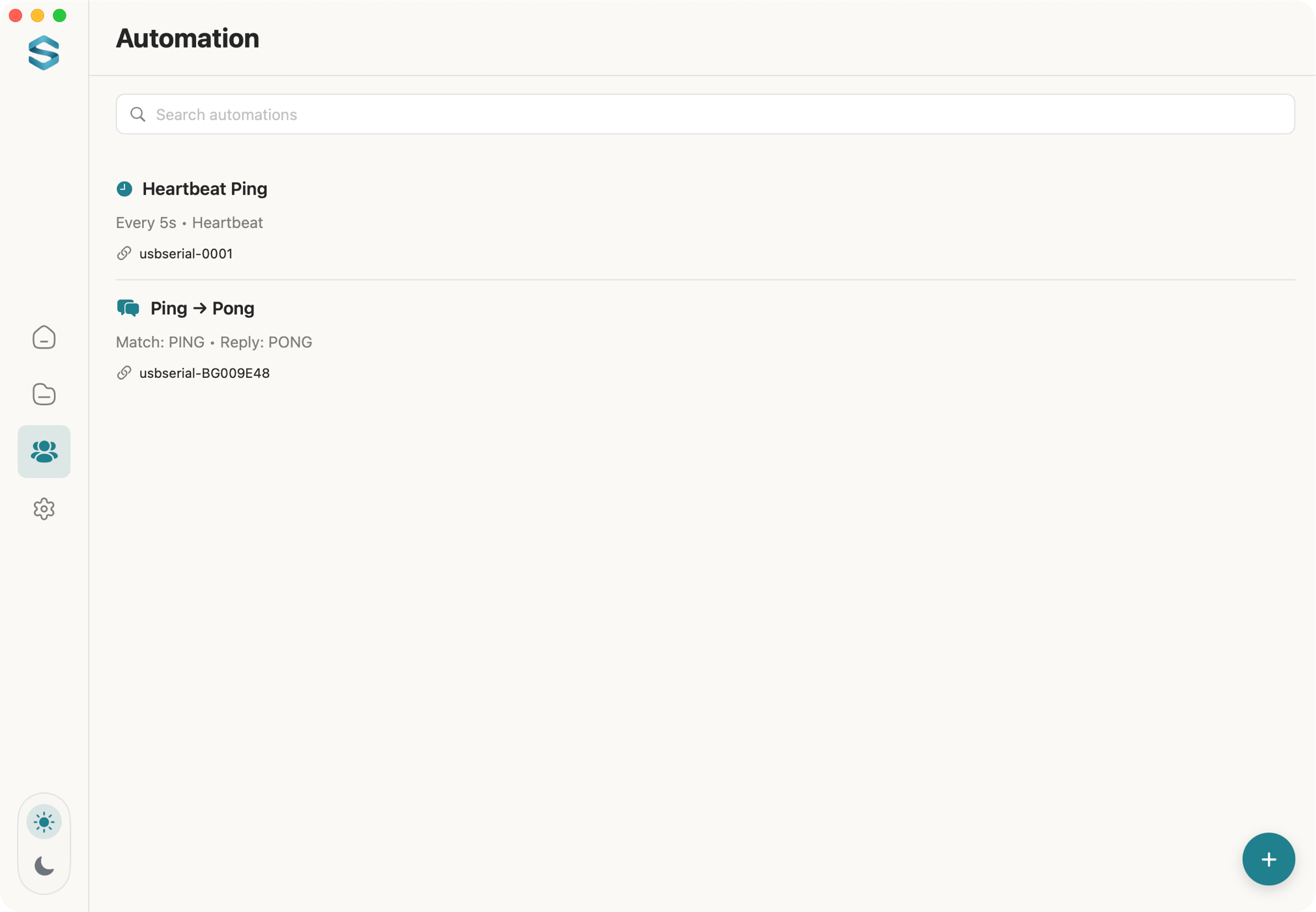
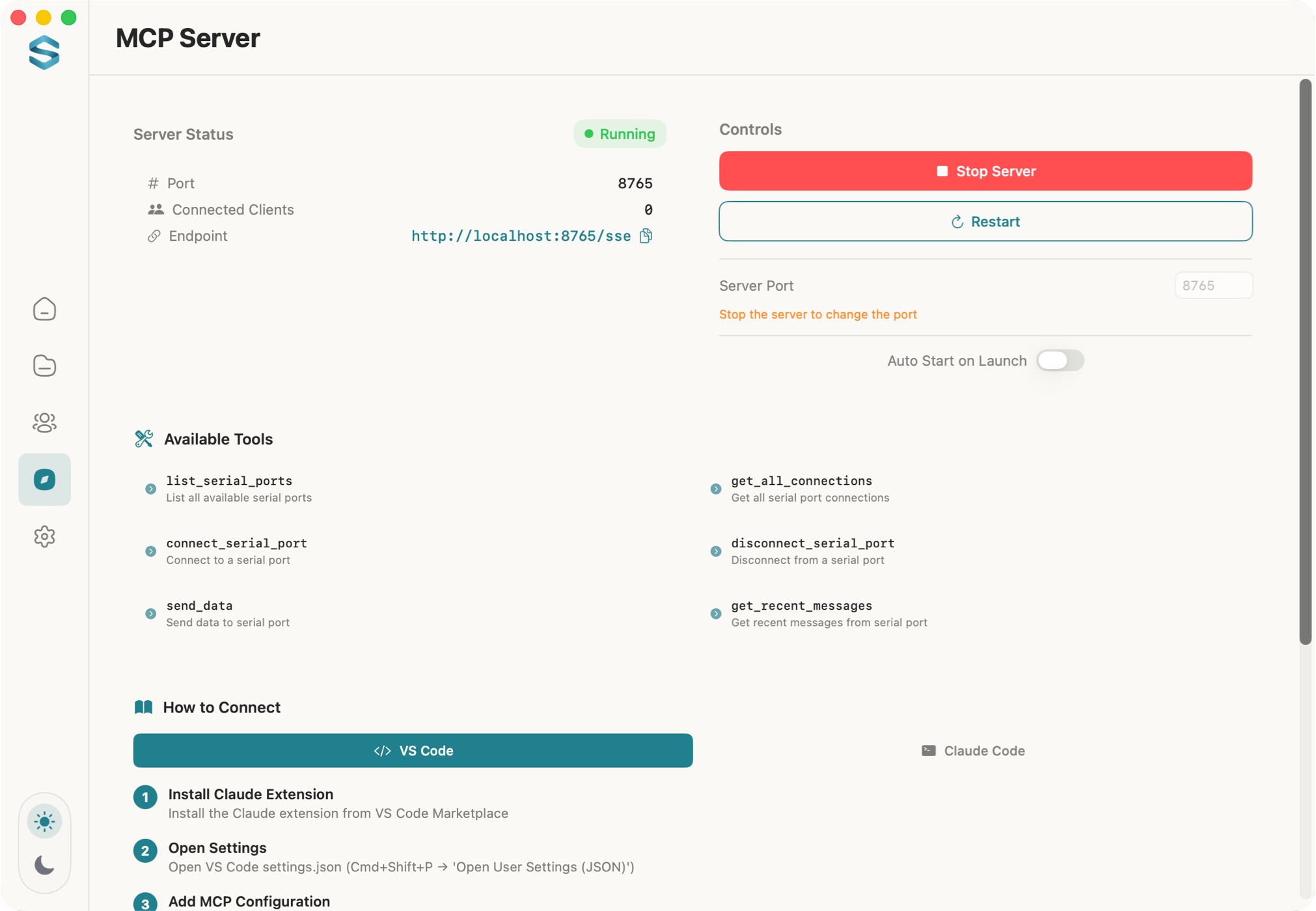
Data TX/RX interface File transfer Command templates Automation MCP Server Terminal mode

Real-time Text/HEX dual view with multi-port simultaneous connections.

Transfer firmware and binary files with real-time progress tracking.

Save frequently used commands as templates with tags for quick access.

Set up automated responses and heartbeat pings for unattended testing.

Run the built-in MCP server for SSE-based AI integrations.

Switch into VT100/Xterm terminal mode for embedded shell sessions with local echo and quick command keys.

Privacy First

Your data stays on your Mac. Always.

  • No personal data collection
  • No serial data uploaded
  • Protocol and serial data stay on your Mac

Ready to Use the Best Serial Terminal for macOS?

Download Serial Terminal for Mac and debug serial devices on macOS faster.

Download on Mac App Store